
We don't lock you into a device
The phone you already have is the register. A tablet can run the tickets. Your laptop works in the office. Take a tap on the phone, or buy a Bluetooth reader if you want tip, tap, and dip. That is the whole hardware list.
Trusted by food trucks, pop-ups, and independent kitchens


Does Outbites lock me into their hardware?
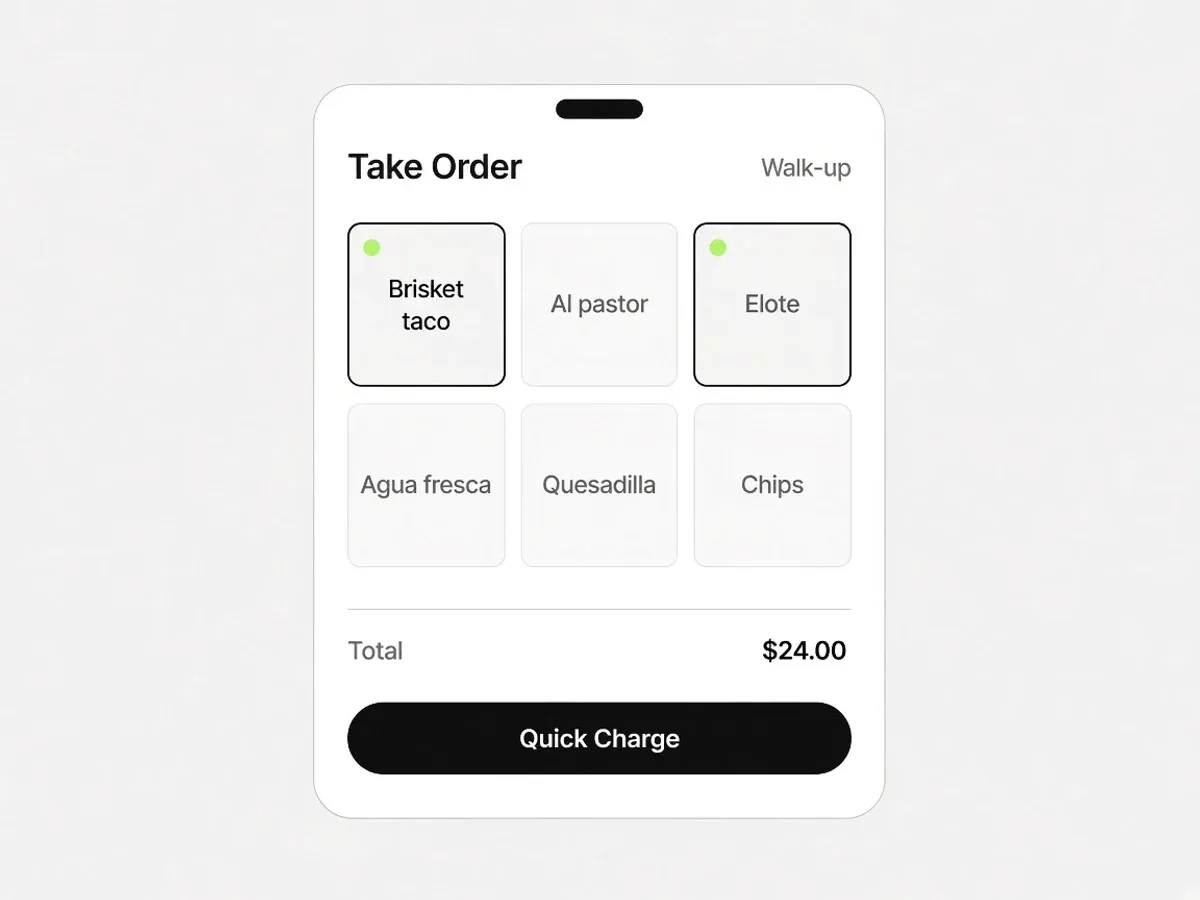
No. Take Order, the Outbites register, runs in the Outbites mobile app on the iPhone or Android phone you already carry. Take a tap on a compatible iPhone, or pair a contactless Bluetooth card reader for tip, tap, and dip. The live kitchen board runs in that same app, or in a browser on a tablet or laptop. Printing is Bluetooth from the phone to a common Epson or Star ticket printer. There is no Outbites terminal, no kitchen tablet you have to buy from us, and nothing that stops working the day you cancel.
Where a dedicated terminal is the right buy
The one job we will not fake. Everything else is a fight.
- A full-service dining room with four stations, coursing, and a bar well may want a purpose-built restaurant point of sale. Toast is built for that job.
- Self-serve kiosks are a real product. Flipdish sells them. Outbites does not ship a kiosk appliance.
- If you already love your current terminals and only want online ordering dumped into them, look at a connector. Outbites is the board itself, not a Toast or Clover sync.
The phone you already have is the register
Restaurants get sold a terminal that only talks to one company. You already have a phone. Use it.
- 01
Put the app on the phone you have
The Outbites app is the merchant app, free with the account. That is Take Order, the board, the alerts, and the printer. A second cheap tablet can sit on the pass and show the same tickets.
- 02
Take a tap, or pair a reader
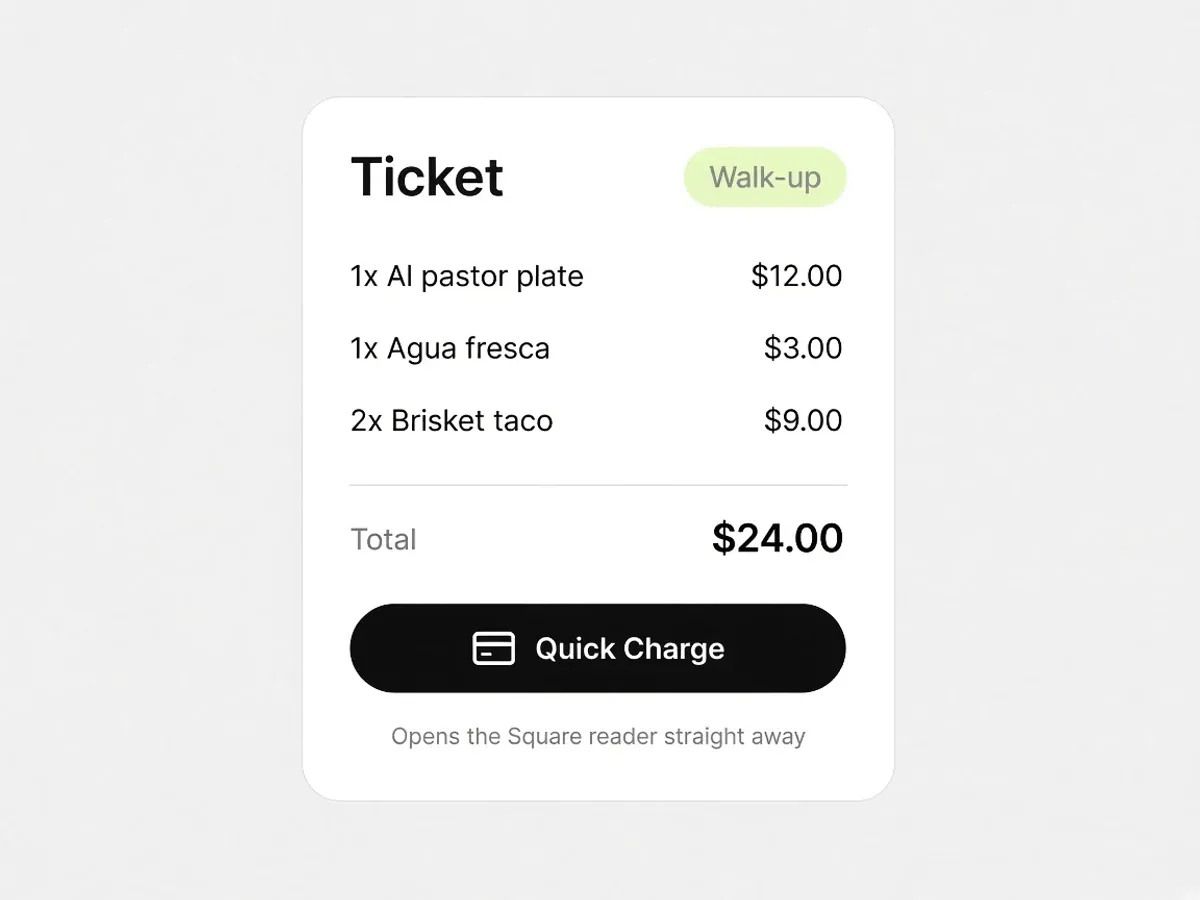
Use the phone's NFC on a compatible iPhone, or pair a contactless Bluetooth reader for tip, tap, and dip. You buy the reader. You keep the reader. Pair Stripe or Square. Stripe covers online cards today. Stripe in person is not live yet, so the window path is Square.
- 03
Leave and keep the kit
Cancel and the phone is still a phone. The tablet is still a tablet. The printer still prints. That is the opposite of a locked terminal.
Your hardware stays yours
No leased screen. No brick if you cancel. The same board on whatever you have open.
Take Order in your apron
Ring up walk-ups from the phone you are already holding. Quick Charge opens the reader. Charge an amount for anything that is not on the menu.
The board on any screen
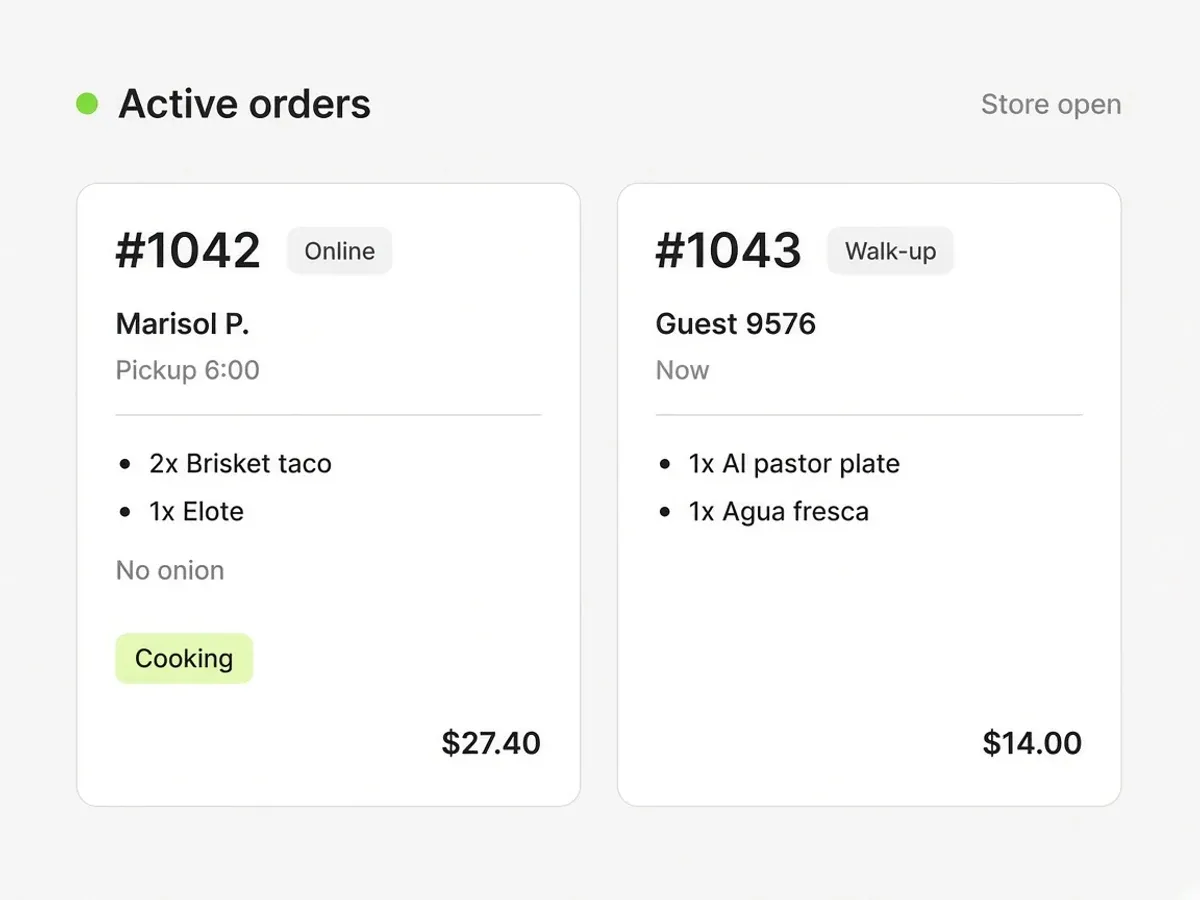
Active Orders is now. Upcoming is later. Phone, tablet, or laptop. That is the kitchen tool. There is no separate Outbites kitchen appliance.
Printers you already know
Bluetooth to Epson and Star from the mobile app. Auto-print on a new ticket if you want paper without touching anything.
Your phone, or your reader
Cards stay on your Square or Stripe account. We never hold the payout. You are not financing a branded slab that dies when the contract ends.
Alerts on the phone you carry
New tickets reach the lock screen. Set the sound to keep going until someone taps it. That only exists in the merchant app, not in a browser tab you forgot.
A truck does not have a counter
This is why we built it this way. A window, a line, a phone, a printer on a hook. You should not need a locked terminal to take a taco order.
Worth knowing
- Take Order and Bluetooth printing run in the Outbites mobile app. A laptop will send you to download the app rather than pretend the register works in Chrome.
- In-person tap and Bluetooth reader payments use Square today. Stripe in-person payments are not live yet.
More reasons operators switch
- We actually give a damnIf you could write the software for your own shop, you would not charge yourself rent to exist. That is this. Joe still writes the product.
- A dollar per orderThe platform bill is $1 when an order is fulfilled. No monthly platform fee. You decide whether the guest covers that dollar, you split it, or you pay it.
- The guest is yoursThey order on your link. Their number stays with you. You can text them later. $1 per fulfilled order. No monthly platform fee.
- Switch without starting overKeep Square or Stripe. Keep the numbers you've already earned. Run both links for two weeks, then move the QR and the Google button. You should not have to rebuild the business to change the software.
Keep Square. Keep Stripe. Keep the printer.
Outbites is the register, the ordering page, and the kitchen tickets. Pair the card processor you already have. Tap on the phone. Print to the Bluetooth printer you already own. Dispatch a courier when you want one.
- SquareOnline, phone tap, and card reader
- StripeOnline card payments
- Apple PayWallet at checkout
- Google PayWallet at checkout
- DoorDash DriveA courier you dispatch
- Uber DirectA courier you dispatch
- GoogleSearch, Business Profile, Analytics
- Epson and StarBluetooth ticket printers
Frequently asked questions
The questions we get on the first call, answered in writing.
Can I use an iPad or Android tablet?
Yes. The Outbites app runs on iOS and Android. A tablet on the pass showing Active Orders is a common setup. You do not have to buy that tablet from us.
What happens to Toast or SpotOn hardware if I leave them?
Ask them, because the answer is usually the problem. Toast terminals are built to run Toast. SpotOn hardware can carry a repayment if you cancel early. Flipdish kiosks are a separate hardware quote. Outbites does not put you in that position. We also do not claim to replace Toast. If you need that stack, keep it.
BentoBox said I needed Clover. Is that true?
BentoBox now tells new customers the product is part of Clover, and that new signups have to be Clover POS customers. That is their current public position, not ours. Outbites does not require Clover, Toast, or any restaurant terminal. Pair Stripe or Square for cards. Your phone for the register.
Do my guests need a kiosk or an app?
No. They scan the QR or open your link and order in the browser already on their phone. There is no customer app to install and no kiosk you have to buy from us.
Food businesses taking orders on their own link
Named Austin kitchens, in their own words.
“This is the first stack that actually moved the needle on direct online revenue.”
Aisha B.
“Less money lost to middlemen and a lot more orders coming straight to us.”
Renee J.
“Branded ordering on our own site. Guests notice and the average ticket keeps climbing.”
Grace C.
“Service runs tighter. Fewer fire drills on the line and fewer missed calls up front.”
Andre Z.
“We keep the full ticket on pickup, and delivery costs stay small and predictable.”
Maya V.
“We close late. I have never waited long for a real person when something breaks.”
Luis O.
“We are steering volume off third-party marketplaces and putting dollars back in-house.”
Chris D.
“It helps independents stand next to the chains without a seven-figure tech budget.”
Tara E.
“Setup was painless. Online sales picked up faster than we budgeted for.”
James W.
“Orders go out smoothly and our promos are finally getting real traction.”
Elena R.
“We outgrew our old DIY site. Web sales are up well over half year over year.”
Ben Y.
“Our site finally matches the restaurant, and someone walked us through every tweak.”
Sofia M.
“I'm a vampire. The truck only parks after dark, garlic is off the menu, and guests still order from the QR on the window.”
Lenore V.
Trusted by food trucks, pop-ups, and independent kitchens
Try it on the phone you have
Create an account, add one item, and ring a test ticket. You do not need to buy anything first.
- $1 per fulfilled order
- No monthly platform fee
- We never hold your payouts
- Cancel anytime